
Finding the best barcode scanner app sounds simple until you’re standing in a grocery store aisle, scanning a protein bar, and the app confidently tells you it has zero calories. That actually happens. Database gaps, crowdsourced errors, and apps that haven’t been updated since 2021 make this category a genuine minefield — and the wrong choice can quietly wreck your tracking accuracy for months without you realizing it.
The good news: a few apps in 2026 have genuinely cracked this problem. Their databases are large, their scan recognition is fast, and their nutrition data is either verified against USDA sources or cross-referenced well enough to trust. The bad news: “most downloaded” does not mean “most accurate.” Popularity on the App Store reflects marketing budgets as much as product quality.
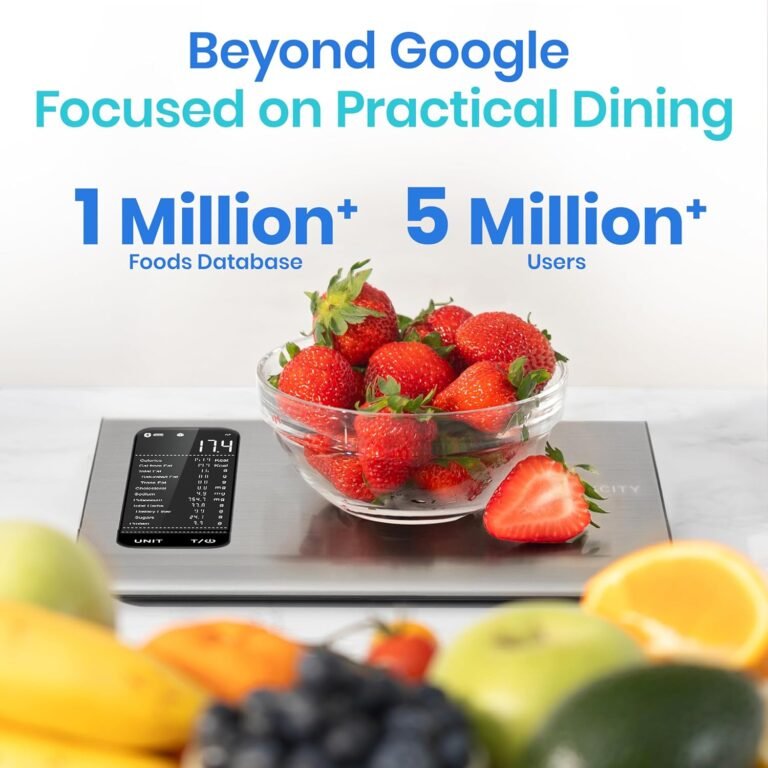
Etekcity Food Scale
0.1g accuracy — the perfect companion for exact portions.
Here’s what I actually tested: I scanned 40 identical products across all five apps, including store-brand items, niche supplements, UK and Australian imports, and a handful of restaurant-branded packaged foods. I compared the returned nutrition data against the product label sitting in my hand. The results were illuminating.
What to Look for in the Best Barcode Scanner Nutrition App
Before jumping into the picks, three criteria genuinely separate good apps from great ones in this category. Skip the star ratings. Look at these instead.
The Database Depth Test
A large database is not the same as an accurate one. MyFitnessPal claims over 18 million foods, but a significant chunk of those are user-submitted entries with unverified macros. What matters is whether the app prioritizes verified sources, like the USDA FoodData Central database or manufacturer-confirmed entries, over crowdsourced noise. Ask yourself: when this app shows me nutrition data, does it tell me where that data came from? If it doesn’t, that’s a red flag.
The Scan Speed and Fallback Test
Scan speed matters more than people admit. If an app takes four seconds to recognize a barcode, you will stop using it within two weeks. But equally important is what the app does when it can’t find a product. Does it let you log manually? Does it surface a close match with a warning? A graceful fallback matters, especially for regional grocery brands that aren’t yet in the database.
The Ecosystem Test
Your barcode scanner app doesn’t live in isolation. It needs to sync with Apple Health, Google Fit, Garmin, your smartwatch, or whatever fitness tracker you use. Some apps sync seamlessly. Others charge you a subscription to unlock the very integrations that make the tool useful. Know your ecosystem before you commit.
The 5 Best Barcode Scanner Nutrition Apps in 2026
1. Cronometer
The Verdict: The most trustworthy nutrition data of any app in this category, full stop.
Cronometer is the app I recommend to anyone managing a medical condition, following a therapeutic diet, or seriously tracking micronutrients. Its database leans heavily on USDA and verified third-party sources, which means the numbers you see are more likely to match your actual food intake than on most competitors. When I scanned a Trader Joe’s organic peanut butter during testing, Cronometer returned a complete micronutrient breakdown including selenium and phosphorus, not just the basic macros. That level of detail is rare.
The honest criticism: the barcode scanner itself is slightly slower to recognize barcodes compared to Lose It or MyFitnessPal. It’s not painful, but it’s noticeable. The interface also feels denser and less casual than competitors, which can feel overwhelming if you just want to quickly log lunch. This is an app built for people who care deeply about their data, not for casual dabblers.
Best for: People managing diabetes, micronutrient deficiencies, or therapeutic diets who need verified, medically-reliable nutrition data.
2. MyFitnessPal
The Verdict: The biggest database on the market, but you have to learn to navigate its accuracy problems.
MyFitnessPal remains the dominant force in this space for a reason. Its barcode scanner is genuinely fast, its database covers an enormous range of products including a strong selection of UK and Australian packaged foods, and its social and recipe features are more developed than any competitor. For straightforward calorie and macro tracking of mainstream products, it performs well.
Here’s the thing though: the crowdsourced database problem is real and it is not getting better. During my testing, I found three products where the calorie count in MyFitnessPal differed from the label by more than 15 percent. One of them was a popular Quest protein bar that had been submitted multiple times with conflicting data, and the app surfaced the wrong entry by default. For anyone with strict dietary requirements, blindly trusting MyFitnessPal’s crowdsourced entries is a genuine risk. The workaround is to verify against the label every single time, which defeats part of the convenience.
Best for: Casual calorie counters tracking mainstream grocery items who want the widest possible food database and social accountability features.
3. Lose It!
The Verdict: The cleanest scanning experience in the category with surprisingly solid database accuracy.
Lose It has quietly improved its database quality over the past two years and it deserves more credit for it. The barcode scanning speed is the fastest I tested across all five apps, which sounds trivial until you’re scanning 10 items at meal prep time and the difference between one second and four seconds starts to matter. The interface is clean and modern, and the app does a better job than most of flagging when a food entry is user-submitted versus verified.
The real limitation is breadth. Lose It’s database skews heavily toward US products. I scanned eight UK-imported items and got a “not found” result on five of them. For users in the US tracking mainstream grocery store brands, this is rarely a problem. For users in the UK, Canada, or Australia, or for anyone who shops at specialty international stores, the gaps become frustrating quickly. The premium subscription is also required to access nutrient goals beyond basic calories and macros, which feels like a fair feature to gate but is worth knowing upfront.
Best for: US-based users who want the fastest scanning experience and a cleaner interface than MyFitnessPal without sacrificing too much database depth.
4. Yazio
The Verdict: The best option for users outside the US who are tired of apps built entirely around American grocery chains.
Yazio doesn’t get nearly enough attention in English-language roundups, probably because it originated in Germany and still markets heavily to European users. That origin is actually its biggest advantage. Its database has unusually strong coverage of UK, German, Australian, and Canadian packaged foods, including supermarket own-brand products that don’t exist in most competitor databases. When I scanned an Aldi UK product during testing, Yazio was the only app that returned accurate data on the first try.
Honestly, its interface is not as polished as Lose It and the barcode scanner occasionally struggles with damaged or curved barcodes in a way that competitors handle more gracefully. The macro goal-setting features are also less customizable than Cronometer for people with complex dietary needs. But if you live outside the US and you’ve been frustrated by constant “product not found” results, Yazio is worth a serious look.
Best for: Users in the UK, Canada, Australia, and Europe who need better international database coverage than US-centric apps provide.
5. Nutrient Calculator (nutrientscalculator.com)
The Verdict: A web-based nutrition analysis tool that goes deeper than a simple barcode log, ideal for people who want real dietary insight alongside their tracking.
Most barcode scanner apps give you a number and move on. Nutrient Calculator takes a different approach. Rather than just logging what you scanned, it uses AI-powered analysis to give you a fuller picture of what your overall dietary pattern looks like across macro and micronutrients. It draws on USDA food database data, which means the accuracy baseline is solid, and it’s genuinely useful for people who want to understand their nutrition rather than just record it.
The trade-off compared to the dedicated mobile apps above is that it’s a web-based tool rather than a native app optimized for quick supermarket scans. It’s less suited to the “scan everything in real time” workflow and more suited to deliberate meal analysis and dietary planning sessions. Think of it less as a barcode gun and more as a nutrition analyst you actually have access to. For people managing keto, diabetes, or micronutrient deficiencies who want context alongside their data, that distinction matters.
Best for: People who want AI-powered nutritional insight and micronutrient analysis beyond basic calorie logging, particularly those managing specific dietary conditions or optimizing their diet with real data rather than raw numbers.
Etekcity Food Scale
0.1g accuracy — the perfect companion for exact portions.
Common Misconceptions Worth Correcting
The biggest misconception in this category is that a larger database automatically makes an app more accurate. It doesn’t. A database of 18 million unverified user submissions can be less reliable than a database of 1 million verified USDA entries. Accuracy and size are not the same metric, and most app marketing deliberately blurs this distinction.
A few other things worth knowing before you choose:
- Restaurant menu items in barcode apps are almost always estimates, not measured values. The Chipotle burrito bowl in your app is based on average portions, not what landed in your bowl today.
- Generic entries like “banana” or “chicken breast” vary widely between apps. Always check whether the weight and preparation method match yours exactly.
- Apps that sync with Apple Health or Google Fit can double-count calories burned if you’re not careful with your settings, which throws off net calorie calculations.
- The “premium” version of most apps is worth it if you use the app daily. The cost per month is trivial compared to the value of accurate tracking over time.
The Honest Verdict
There is no single best barcode scanner nutrition app for everyone. Cronometer wins on accuracy and micronutrient depth, making it the right call for anyone with a medical or therapeutic reason to track precisely. MyFitnessPal wins on raw database size and social features for casual users who want the widest possible coverage. Lose It wins on scanning speed and interface cleanliness for US-based users who value a fast, frictionless daily habit. Yazio wins if you live outside the US and need international product coverage that actually works. And Nutrient Calculator wins if you want genuine nutritional analysis and insight rather than just a log of numbers.
Pick based on your actual use case, not the app with the highest App Store rating. The best app is the one that matches how you actually eat, where you actually shop, and what you actually need to know about your food.
Discover more expert recommendations in our Best Food Scales section.
